by abduzeedo
Unicorn Studio is the WebGL design tool bringing GPU-powered shader effects within reach of any designer — no GLSL, no code, just a spatial layer canvas.
For years, shaders have been a closed door for most designers. The visual effects they produce — fluid distortions, volumetric glows, depth-aware lighting, layered chromatic aberrations — are some of the most compelling things a browser can render. But getting there meant writing GLSL: a low-level shading language with a steep learning curve and very little visual feedback. Most designers never got past the syntax error.
That gap is finally closing. A new wave of WebGL design tool releases is abstracting the GPU pipeline into interfaces that designers already know. Unicorn Studio sits at the front of that movement.
A WebGL Design Tool Built Like a Design App
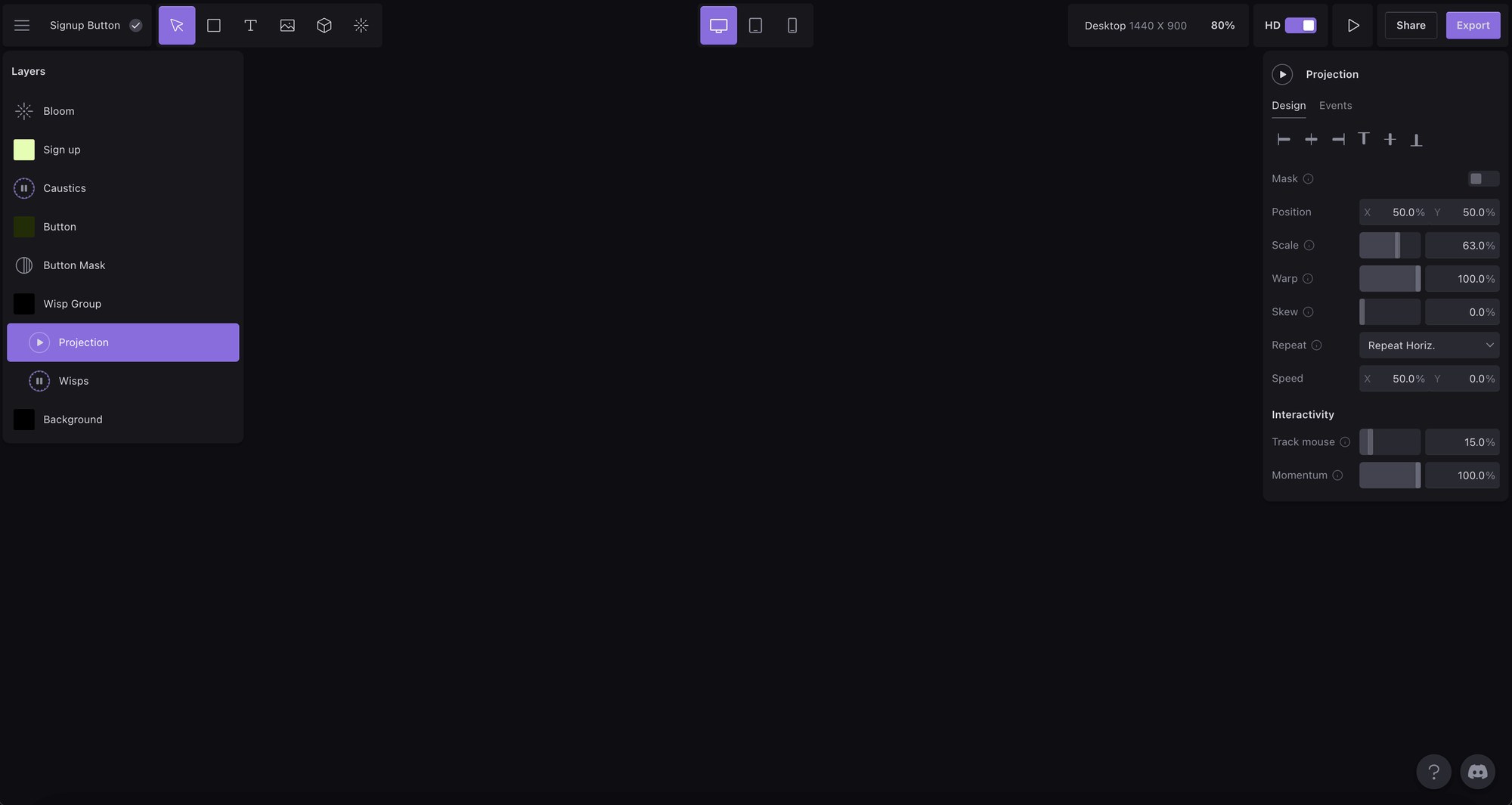
Unicorn Studio works like Figma or Photoshop at the surface. Designers stack layers on a spatial canvas — images, shapes, text, video, 3D models — and apply effects on top. But underneath each layer, shaders are running. The tool compiles WebGL from a layer stack, not from hand-written GLSL. The designer never sees a shader unless they want to. For those who do, there is a built-in code editor for writing custom shaders directly.
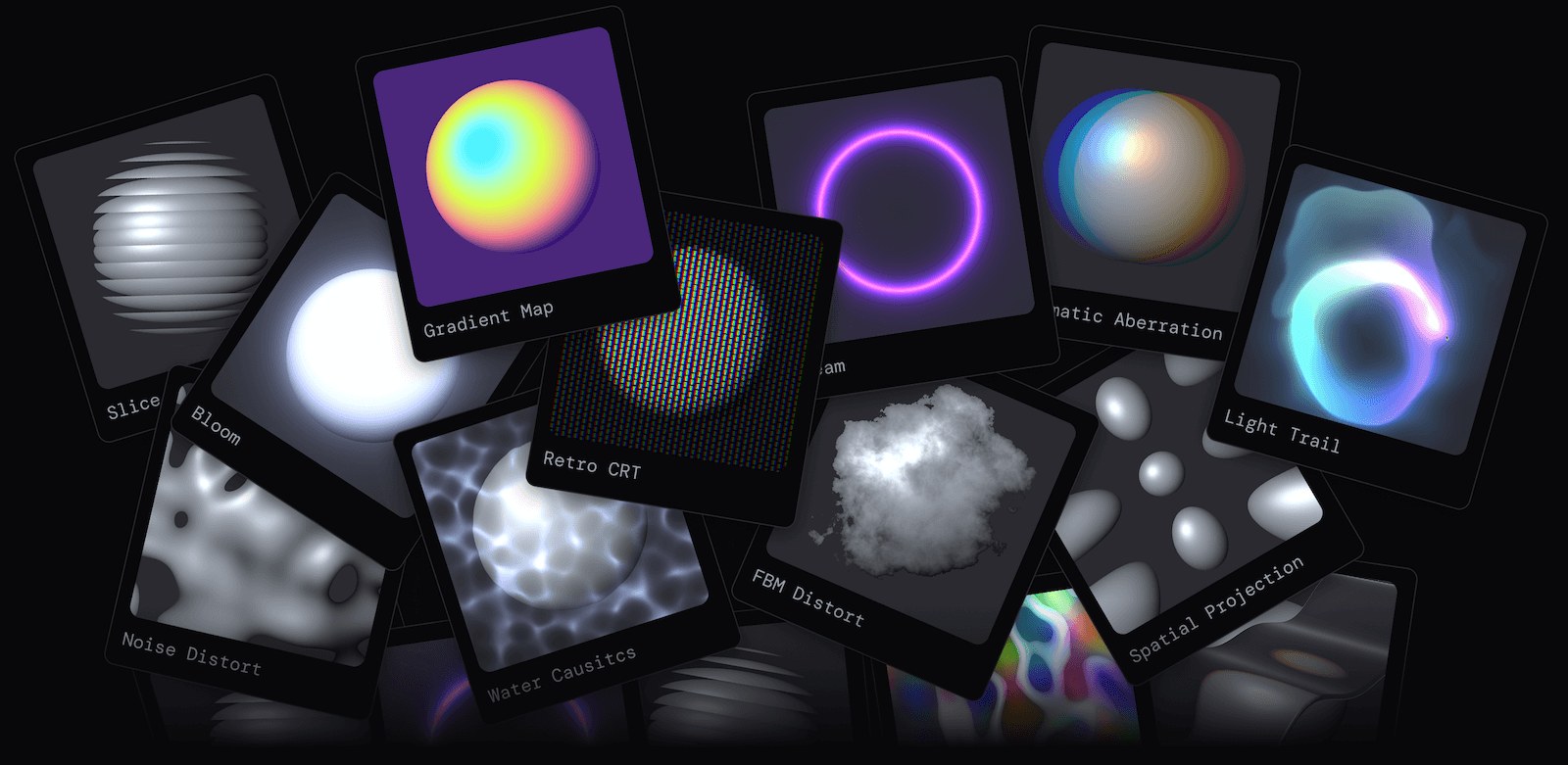
The effect library includes over 70 configurable WebGL effects. These range from subtle utilities — noise overlays, edge glow — to scene-defining centerpieces like fluid simulations and volumetric light. Effects stack and combine freely, which means the output space is wide. No two scenes need to look alike.
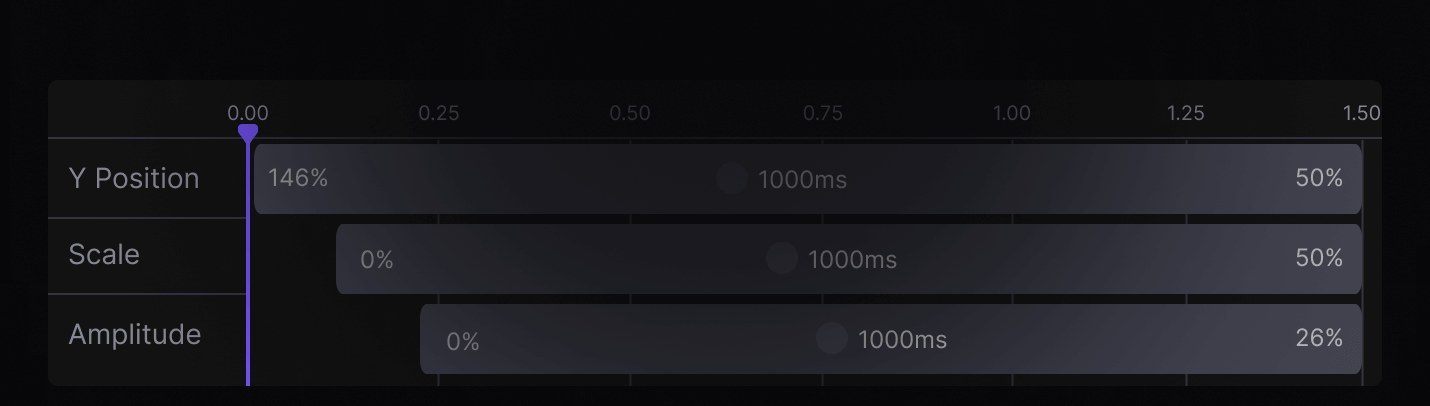
Motion and interactivity are part of the core model. Any layer property can respond to events: scroll position, hover state, mouse movement, element appearance. A timeline controls time-based sequences. This is not an afterthought layer bolted onto a static renderer — it is built into how scenes are authored from the start.
Performance and Embed — The Production Case
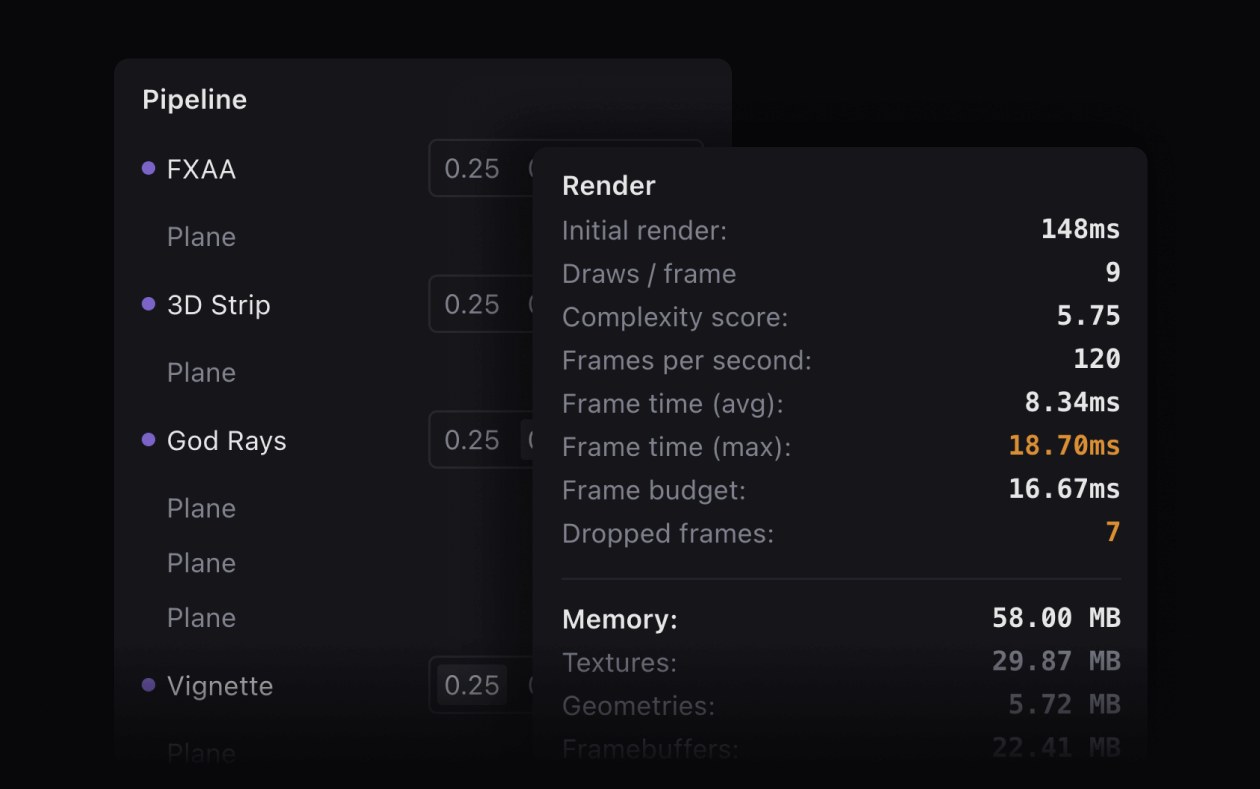
Where many WebGL design tool contenders stop at exports, Unicorn Studio is built for production. The runtime ships at roughly 29kb gzipped. A built-in performance estimator scores a scene as it is built, giving immediate feedback before anything goes live. Scenes embed into Framer, Webflow, Wix, or custom-coded sites with a few clicks. Video exports in WebM or MP4 with codec control cover static asset use cases.
The broader context matters. Shadertoy pioneered browser-based shader exploration, but remained squarely in developer territory. Three.js abstracted WebGL enough for JavaScript developers to work with 3D, but still required code. Unicorn Studio removes the code requirement entirely for the design phase while keeping an escape hatch — the custom shader editor — for developers who want to go deeper.
That positioning reflects a real shift in who builds for the web. The boundary between designer and developer has been narrowing for a decade. Figma, Framer, and Webflow pushed it from the design side. Unicorn Studio is doing the same for GPU effects. The WebGL design tool category is small but growing fast, and the platform has built a compelling case for why designers should be in that room.
The free tier includes access to all 70 effects and up to 10 publishes. The Legend plan, at $14 per month billed annually, adds unlimited publishes, a commercial license, 3D model support, video hosting, versioning, and custom fonts. Both tiers run entirely in the browser — no installs, cloud-saved by default.
Shader-driven design used to mean knowing the language the GPU speaks. That is changing. Unicorn Studio is one of the clearest examples of what happens when that barrier comes down.