by prya
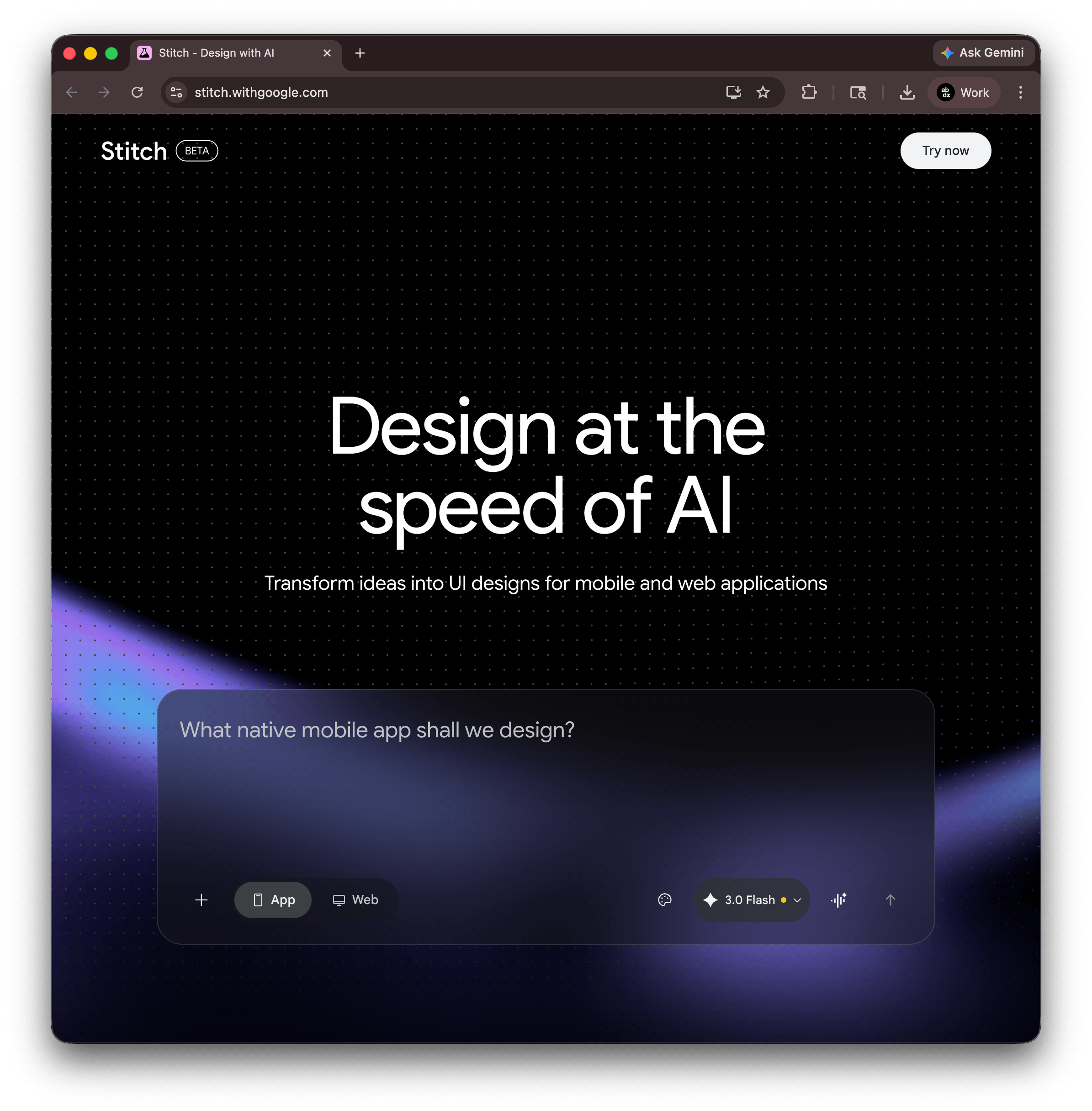
Google Stitch brings vibe design to UI creation with an AI-native canvas, voice input, and instant prototypes. Free during beta at stitch.withgoogle.com.
The phrase "vibe coding" spread through developer circles fast, and now design has its own version. Google Stitch, the AI design tool from Google Labs, formalized the idea with a March 2026 update that repositions how UI work begins. Instead of opening Figma and placing a rectangle, a designer describes a goal, a feeling, or a reference. The canvas figures out the rest.
This is not just a prompt-to-mockup generator. Stitch's March update rebuilt the entire product around an AI-native infinite canvas where a project can grow from a rough sketch to a clickable prototype without switching tools. The prompt box accepts anything: text, screenshots, competitor URLs, code snippets, even voice. All of that becomes context the AI reasons against when generating screens.
What vibe design actually means in Google Stitch
Vibe design replaces the wireframe-first ritual. In a traditional flow, a designer specifies components, grid columns, and spacing before anything looks like a real product. Stitch inverts that. A prompt like "premium and minimalist, like Stripe" produces multiple high-fidelity directions immediately, skipping the low-fi exploration phase entirely. The AI infers layout hierarchy, color temperature, type weight, and whitespace from the intent.
The new Voice Canvas takes this further. A designer can speak directly to the canvas: "darker palette," "add a hero section," "show me three menu options." The design agent listens, asks clarifying questions when needed, and updates the UI in real time. It is the difference between adjusting a slider and having a conversation with someone who already knows the project.
Stitch also introduced a DESIGN.md file, an agent-friendly markdown document that captures design tokens, spacing rules, and component patterns from any existing website or brand asset. This file travels between tools. Export it from Stitch, drop it into Claude Code, Cursor, or Gemini CLI via the MCP server, and the coding agent matches the visual system without being told explicitly. The design-to-dev handoff, usually a game of telephone, becomes a shared source of truth.
The canvas as a design thinking space
The infinite canvas is worth examining on its own. Earlier versions of Stitch operated like a glorified chat interface: prompt in, design out, iterate. The new version works more like a real design environment. Designers can place multiple generations side by side, compare directions, annotate, and branch into parallel explorations without losing the original. An Agent Manager lets multiple AI agents run simultaneously, with one handling typography adjustments while another refines color and a third generates placeholder images through Nano Banana 2, Stitch's context-aware image generator that produces visuals specific to the project rather than pulling generic stock.
Interactive prototyping arrived in December 2025 and stayed in the March update. Screens connect into flows with transitions. The "Play" button previews a full user journey. The AI can predict and generate logical next screens based on a current selection, which means a three-screen flow can expand to eight screens without manually prompting each one. This closes the gap between design exploration and stakeholder presentation significantly.
Every design also produces clean HTML/CSS code. That code exports to Figma (with named layers and Auto Layout intact, not a flat image), to Google AI Studio for backend integration, or directly to Antigravity IDE for full application development. For solo builders or early-stage teams, the path from a vibe design to a working interface now takes hours rather than days.
Where vibe design fits for working designers
Stitch is free during beta, with 350 standard generations and 50 experimental-mode generations per month. It runs in-browser and requires only a Google account. The practical ceiling is production design system management. Stitch does not yet handle shared component libraries, multiplayer editing, or version history. The recommended workflow in 2026 is to explore in Stitch, refine in Figma, and build in Antigravity or another IDE.
What shifts with vibe design is where the skill premium lands. If the AI absorbs early wireframing, the competitive edge moves to judgment: knowing which direction is right, detecting what feels off, understanding what will break at scale. A designer who can feed Stitch a precise vibe and immediately identify the strongest output is faster than one who builds every frame by hand. The tool is not replacing taste; it's making taste the primary input.
Google Stitch is live at stitch.withgoogle.com. The vibe design canvas is open to anyone with a Google account.